
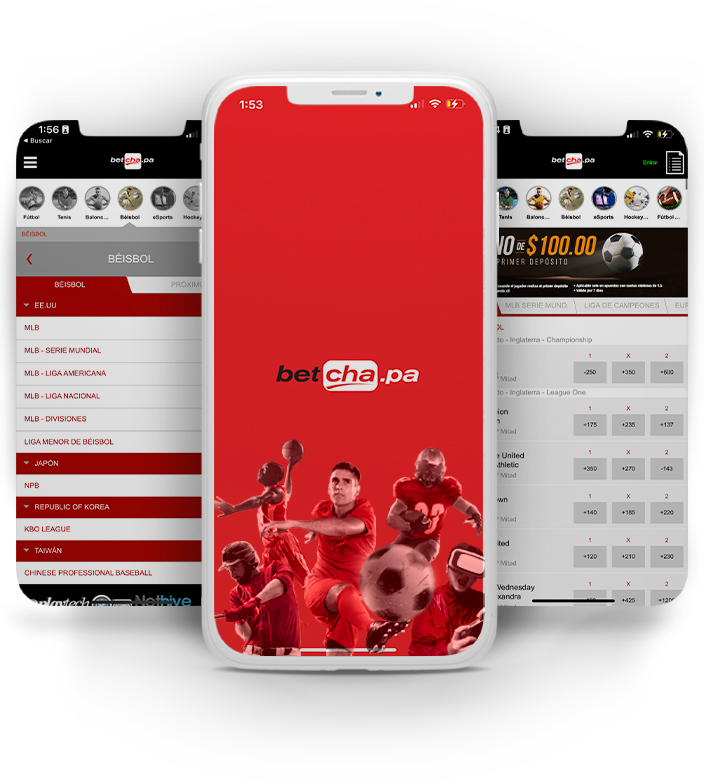
Betcha App: Download and Mobile Access for Panama Players
The Betcha app is designed for players in Panama who want full access to the sportsbook and casino without sitting in front of a desktop. Whether you are placing a live bet on a Copa América match or spinning a slot during a lunch break, the mobile experience at Betcha keeps everything within reach. This page covers how to get set up on Android or iOS, what the app delivers, and what to expect from the mobile platform in 2026.
Why Use the Betcha Mobile Platform?
Convenience is the obvious answer, but the more precise reason is continuity. The mobile interface at Betcha mirrors the full desktop offering — sportsbook odds, live casino tables, slots, payment tools, and account management are all accessible. Panamanian players operating in USD will find deposits and withdrawals work identically on mobile as they do on desktop, with the same methods available: Visa, Mastercard, Nequi, Skrill, Neteller, bank transfer, and crypto options like BTC and USDT.
Performance matters too. The aplicación Betcha is built to handle live in-play betting where odds shift by the second. A sluggish or poorly optimised app in that context costs you real money. Betcha's mobile interface is engineered to keep pace with live markets, rendering updated lines and scores without forcing you to reload the page manually.
For players who want to review promotions before committing, the Betcha welcome bonus and promotions page is fully accessible through the app, so you never miss an active offer.
Betcha APK: Android Download and Installation
Where to Get the APK
Google Play Store policies restrict real-money gambling apps in many regions, which means the Betcha APK is distributed directly through the official website at betcha1.com rather than through the Play Store. This is standard practice for licensed operators serving Latin American markets, and it does not indicate any security concern — the file is the same application, simply distributed via a direct download link.
How to Install the Android App
- Open betcha1.com in your Android browser (Chrome is recommended).
- Navigate to the mobile or app section and tap the descargar Betcha button to begin the APK download.
- When prompted, allow your device to install apps from unknown sources. On most Android devices, go to Settings → Security → Install Unknown Apps and enable permission for your browser.
- Open the downloaded APK file from your notifications bar or file manager and tap Install.
- Once installed, open the app, log in with your existing credentials, or register if you are a new player.
The entire process takes under two minutes on a standard Android device with a reasonable mobile data connection. If your device flags the file during installation, this is a routine Android security prompt — it applies to any APK not sourced from the Play Store.
Compatible Android Versions
The Betcha APK is designed to run on Android 7.0 (Nougat) and above. Devices running older Android versions may experience limited functionality; upgrading to a supported version is advisable before attempting the betcha app download.
iOS: iPhone and iPad Access
App Store Availability
Apple's App Store does permit real-money gambling applications in a number of jurisdictions, though availability depends on the region linked to your Apple ID. If the Betcha iOS app is available in the Panamanian App Store, you can search for Betcha and install it directly. If it does not appear in your region, the mobile browser experience is a fully capable alternative.
Using the Mobile Browser on iOS
Safari on iPhone and iPad renders the Betcha mobile site at a level that is functionally comparable to a native app. You can add betcha1.com to your home screen — tap the Share icon in Safari and select Add to Home Screen — creating an icon that opens the site in a full-screen, app-like view. This shortcut launches without browser chrome, making it nearly indistinguishable from a native application in everyday use.
Betcha WhatsApp and Customer Support on Mobile
A question that comes up regularly: does Betcha operate via Betcha WhatsApp? Some operators in the Latin American market use WhatsApp as a customer service channel, allowing players to resolve account queries, request withdrawal assistance, or get bonus information through the messaging platform. If Betcha offers a WhatsApp support line, contact details will be listed within the app's help or support section and on the main website. Check there for the most current and verified contact number — avoid third-party sources, as unofficial numbers can be fraudulent.
Beyond WhatsApp, Betcha typically provides live chat and email support, both accessible through the mobile interface. For information on how funds move in and out of your account, the Betcha payments guide covers all deposit and withdrawal methods available to Panama players.
Key Features Inside the Mobile App
Sportsbook on Mobile
The full Betcha sportsbook is available through the app, covering football, basketball, baseball, boxing, and a wide range of international leagues and tournaments. Live in-play betting is a core feature — odds refresh in real time, and the interface is structured so you can navigate between matches without losing your bet slip. Pre-match and live markets load cleanly on both 4G and Wi-Fi connections.
Casino and Live Casino
Slots, table games, and live dealer rooms are all part of the mobile casino experience. Live casino streams — roulette, blackjack, baccarat — run over video feeds that require a stable connection; a 4G or Wi-Fi signal is recommended for uninterrupted gameplay. The slots library on mobile is broad, with titles from leading software providers rendering in full quality on modern smartphone screens.
Account and Payment Management
Deposits, withdrawals, identity verification uploads, and responsible-gambling tools are all handled within the app. Panama players can fund accounts in USD using the supported payment methods and request withdrawals directly from the cashier section without switching to a desktop device. The app respects the same security protocols as the desktop site, including two-factor authentication where available.
Responsible Gambling on Mobile
Mobile access makes gambling more convenient — which also makes responsible-play discipline more important. Betcha's app includes tools that let you set deposit limits, session time reminders, and, where needed, a self-exclusion option. Panama's gaming oversight body, the Junta de Control de Juegos (JCJ), expects operators to provide these protections, and they are accessible from within your account settings at any time. Gambling should be approached as entertainment; if it stops feeling that way, those tools are there for a reason. Players must be 18 or over to hold an account and use the app.
For a broader overview of what Betcha offers beyond mobile — including its full casino and sportsbook range — visit the Betcha Panama homepage.
Frequently Asked Questions
Is the Betcha APK safe to download and install?
Yes, provided you download it directly from betcha1.com. The APK is the official application distributed outside the Play Store — a common arrangement for licensed operators in this region. Avoid downloading APK files from unofficial third-party sites, as those cannot be verified and may carry security risks.
Do I need to create a separate account for the mobile app?
No. Your existing Betcha account works on the app, mobile browser, and desktop. If you are new, you can complete registration through the app itself; there is no separate mobile account.
Can I claim bonuses and promotions through the app?
Yes. All promotions available on the desktop site are also accessible through the mobile app. You can opt in, check wagering progress, and track active bonuses directly within the app's promotions section.
What should I do if the Betcha app is not working correctly?
First, ensure your app is updated to the latest version by revisiting betcha1.com and downloading the current APK (for Android) or checking for updates in the App Store (for iOS). Clearing the app cache and checking your internet connection resolves most performance issues. If problems persist, contact Betcha's customer support through live chat or the available WhatsApp channel for technical assistance.